
Shown on iOS
How it works
A little organization. More possibilities for dinner.
1. Add your groceries
Scan barcodes or enter items manually to build your kitchen inventory quickly.
2. Find your next meal
Discover recipes you can make right now, prioritizing ingredients that need to be used soon.
3. Shop with a plan
Generate aisle-organized shopping lists for missing recipe ingredients to keep your next grocery trip focused.
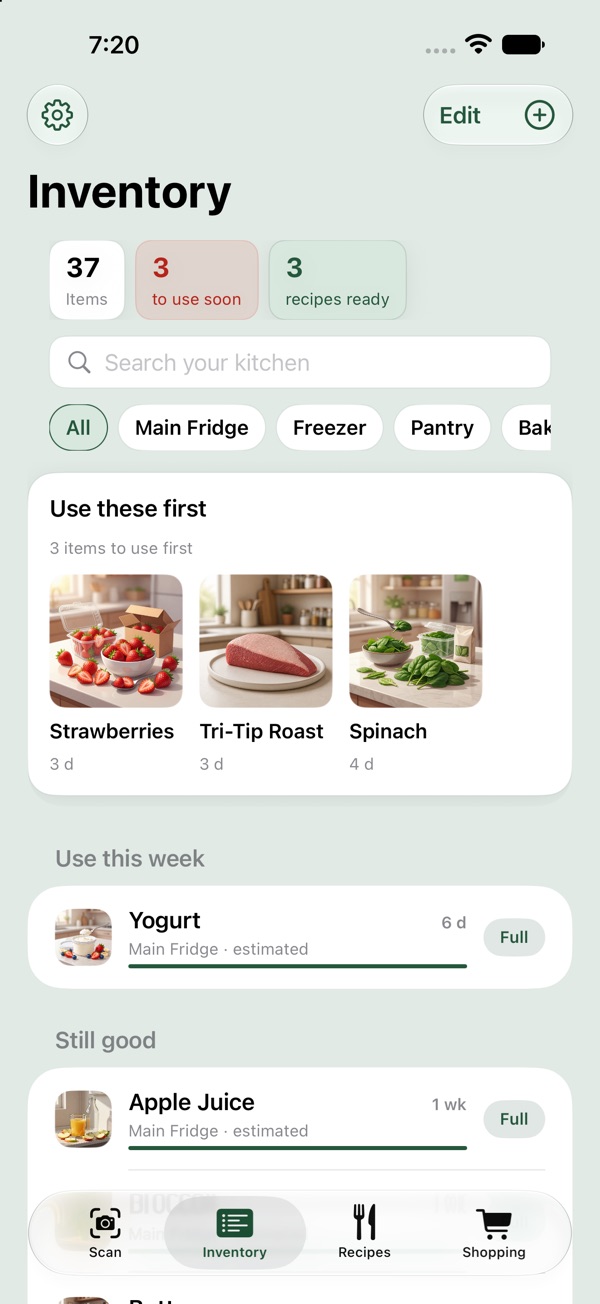
Know exactly what you have
Keep track of your fridge, freezer, and pantry. InStock Kitchen highlights what needs to be used soon, helping you reduce food waste and save money.
- Organize by location (Fridge, Pantry, Freezer)
- See estimated freshness for common items
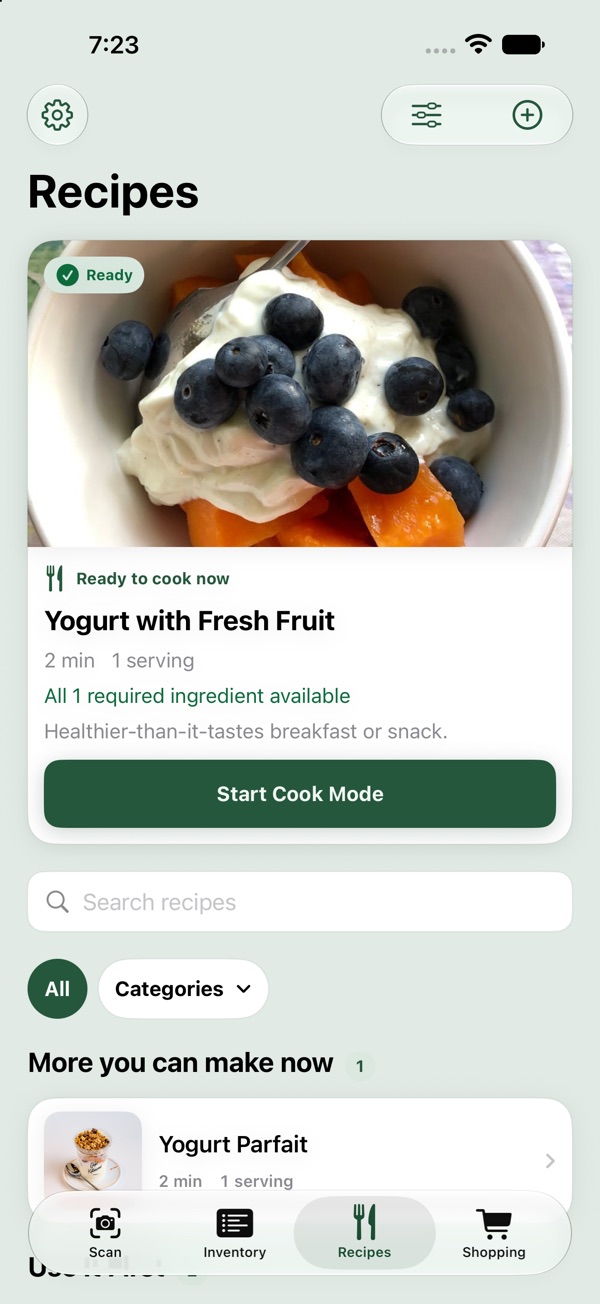
Cook without the guesswork
Stop wondering what to make for dinner. We match your available ingredients to practical recipes, showing you exactly what you can cook right now.
- Filter by "Ready to cook now"
- Import your own recipes with InStock Pro
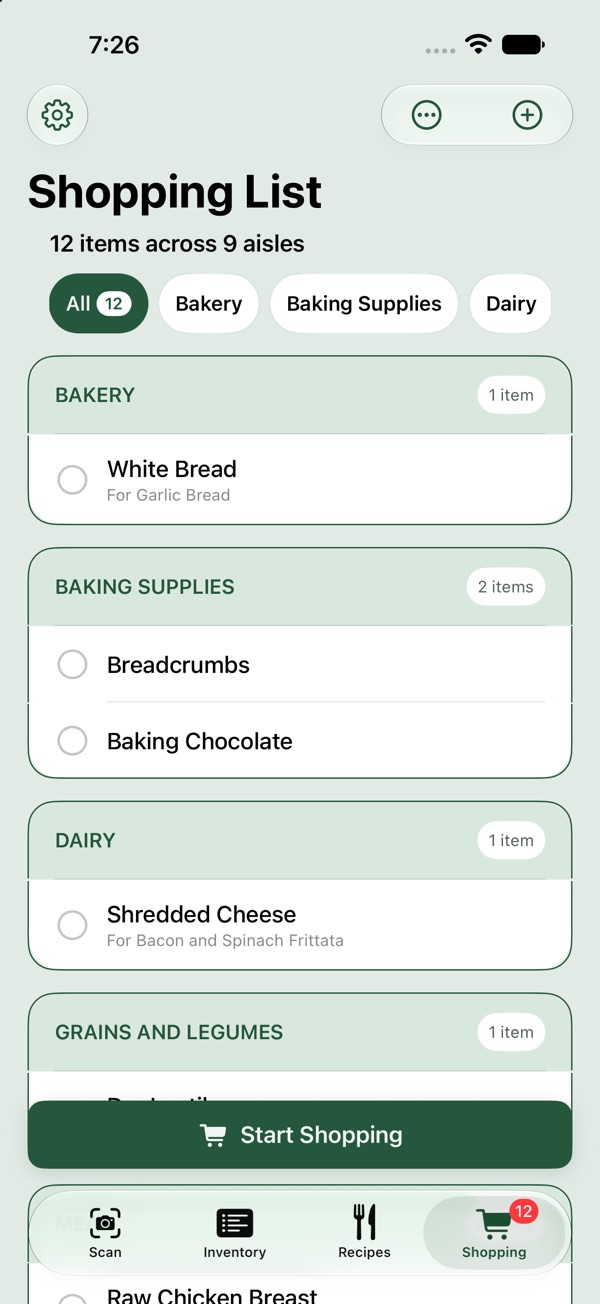
Aisle-organized shopping
When you find a recipe you want to make but are missing a few things, send those ingredients directly to your smart shopping list.
- Automatically grouped by grocery aisle
- Keep your ingredients together for your next trip
Available now · Meal Plan
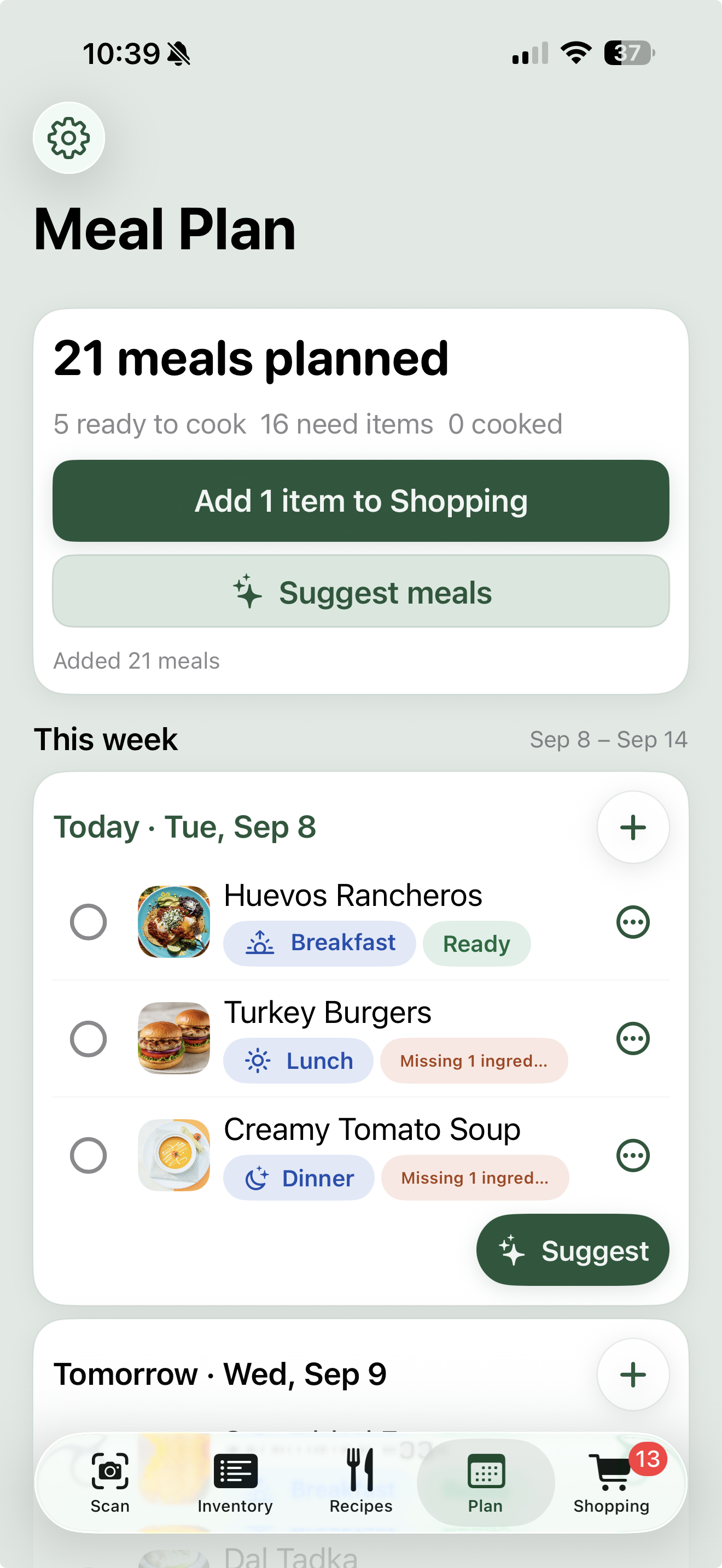
Your week, on the menu.
Bring breakfast, lunch, and dinner together in one weekly plan. See what is ready to cook and what needs a few more ingredients.
- Plan meals by day, from breakfast to dinner.
- Get meal suggestions when you need inspiration.
- Add missing ingredients to your shopping list.
Meal Plan is available now. Update InStock Kitchen to start planning your week.
Your kitchen is your business
Privacy Mode keeps supported AI photo and recipe processing on your device. With Privacy Mode off, selected photos or recipe text are processed by InStock Kitchen's service to deliver the requested feature. Other features, such as barcode lookup and sharing, may still use the network.
Frequently asked questions
Is it a subscription?
Do I have to scan every single item?
Is it available for Android?
Ready to cook smarter?
Start with what you have. Find something you want to cook.